

FMD LINK MCU Programmer & Debugger: Setup and Use Guide
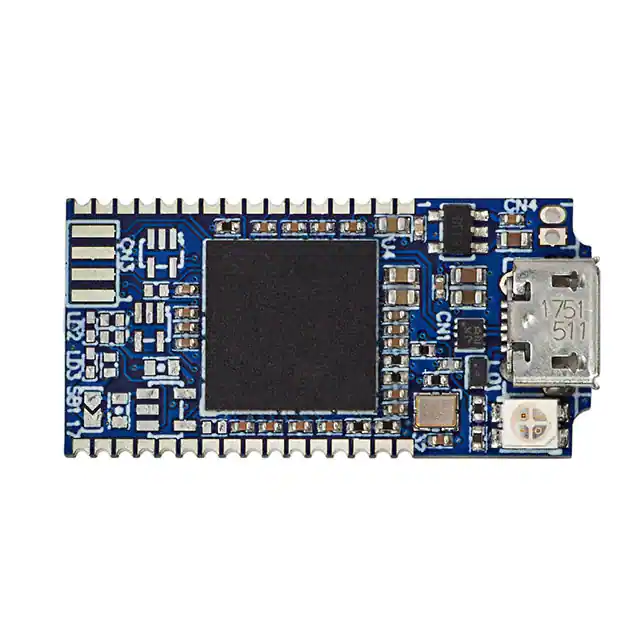
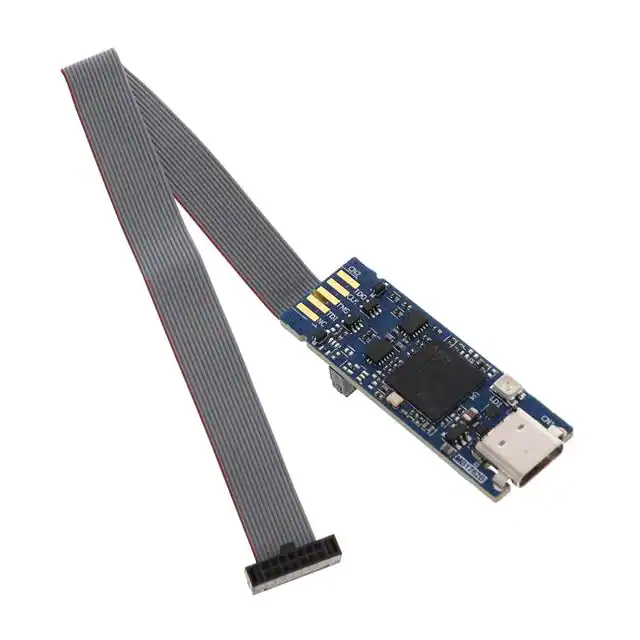
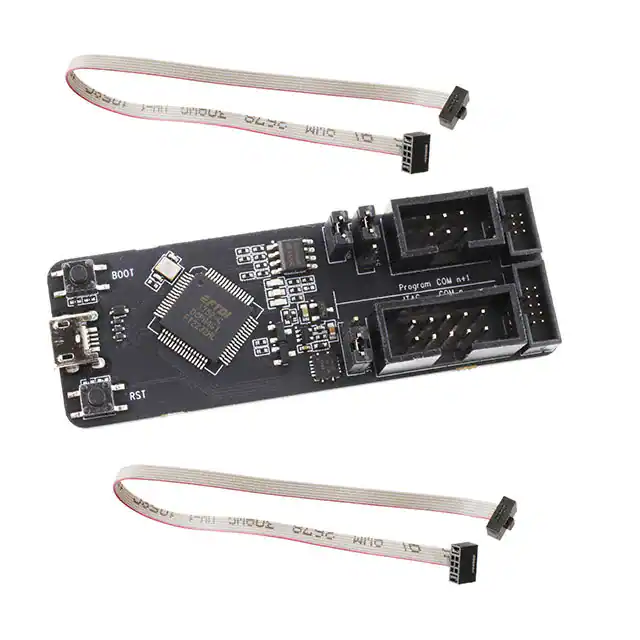
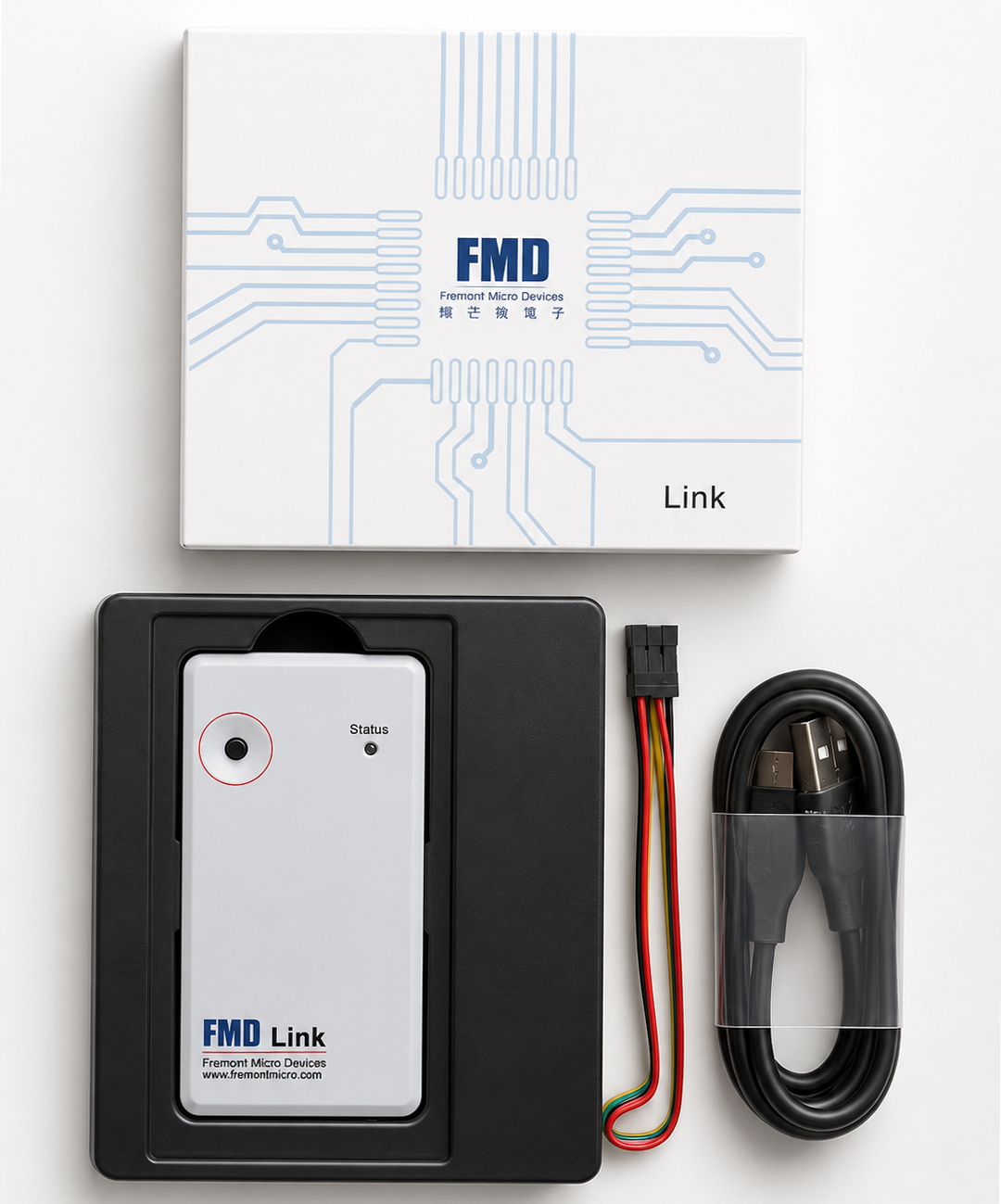
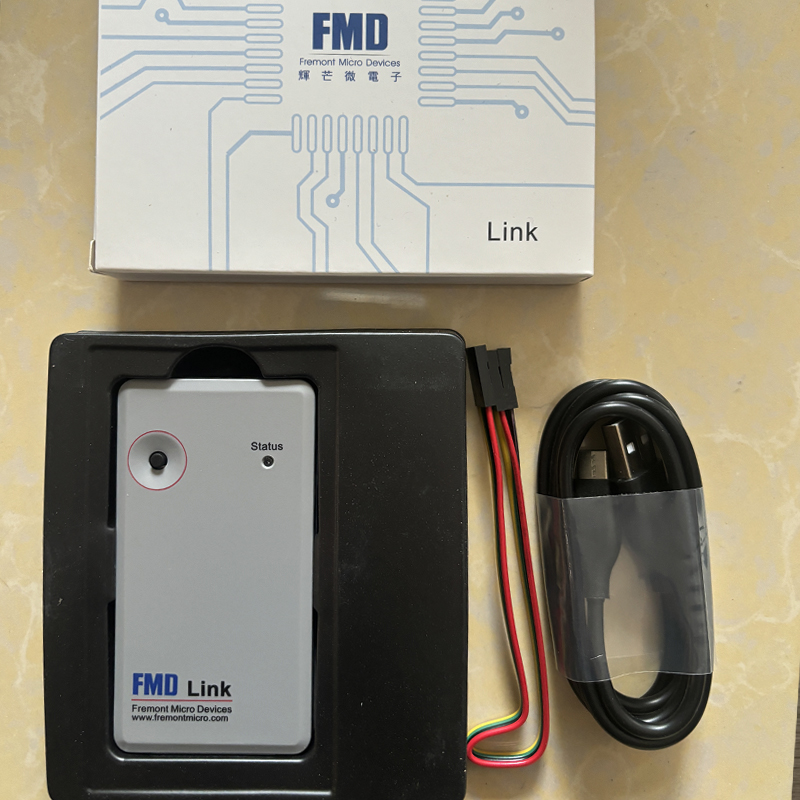
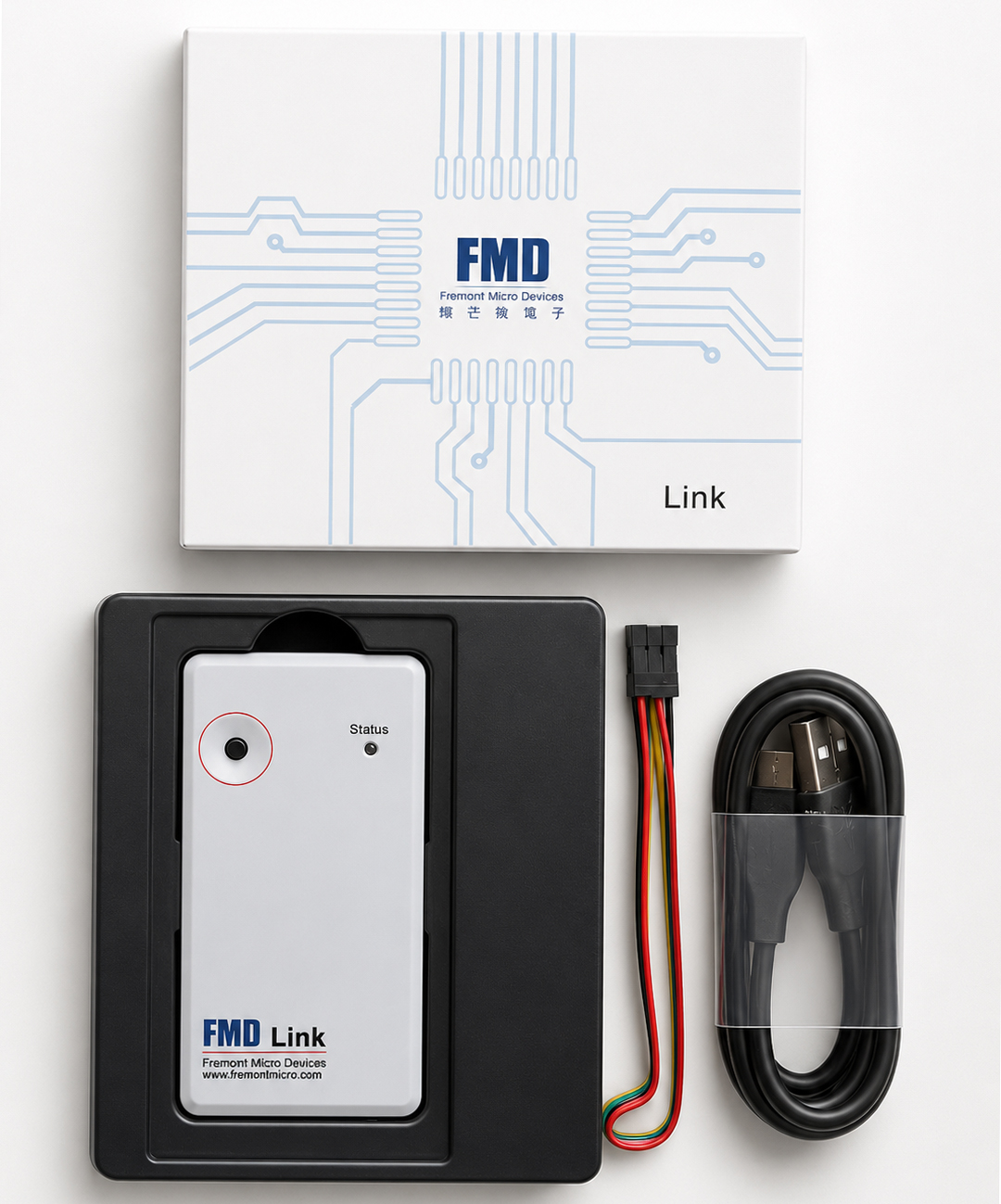
FMD LINK is a programmer and debugging tool for compatible Fremont Micro Devices (FMD) microcontrollers. It connects the FMD software environment to a target MCU for firmware download, supported online debugging, online or offline programming, and TouchKey development.
Users searching for FMD_Programmer are usually looking for this FMD LINK programming workflow. In this guide, FMD_Programmer is used as a search term for the programmer function of FMD LINK, not as a separate official product model.
What Is FMD LINK and FMD_Programmer?
FMD LINK is the hardware bridge between a computer and a compatible FMD microcontroller. It allows firmware and programming commands from FMD software to reach the target MCU. During development, engineers can use the tool to update code and debug supported devices. During manufacturing, supported programming modes can be used for repeated firmware loading.
The keyword FMD_Programmer describes this programming role. If you search for FMD_Programmer software, download, offline programming or debugger information, the important items to identify are the FMD LINK hardware revision, exact target MCU and correct FMD software.
What Can FMD LINK Do?
| Function | What It Does | Best Use |
|---|---|---|
| Online Programming | Programs a supported target MCU while connected to a PC. | Development and firmware testing |
| Offline Programming | Supports repeated programming after the correct configuration is prepared. | Production programming |
| Online Debugging | Helps engineers inspect program behavior on supported FMD 8-bit devices. | Firmware debugging |
| TouchKey Debugging | Works with the FMD touch-development workflow for compatible devices. | Touch-control products |
| Firmware Download | Transfers compiled application code to the target MCU. | Prototype and production boards |
FMD_Programmer Software: FMDIDE, FMDWriter and TouchTool
FMDIDE
Used for supported FMD MCU development and debugging. Engineers can build firmware, download code and investigate application behavior on the target.
FMDWriter
Focused on programming operations. It is the main software side of an FMD_Programmer production workflow when firmware needs to be written reliably.
TouchTool
Used with compatible FMD touch devices to evaluate and adjust TouchKey behavior, including sensitivity and response during product development.
FMD_Programmer Online vs Offline Programming
| Item | Online Programming | Offline Programming |
|---|---|---|
| Main Purpose | Development, testing and frequent firmware updates | Repeated production programming |
| Typical User | Firmware engineer | Engineer or production operator |
| Firmware Changes | Convenient when code changes often | Better for an approved programming image |
| Best Environment | Prototype and engineering bench | Factory or production station |
Neither mode is automatically better. Online programming gives engineers more flexibility during development, while offline programming is useful when a stable firmware image must be programmed repeatedly.
How to Use FMD_Programmer (FMD LINK)
Confirm the Target MCU
Verify the exact FMD part number and that the selected tool revision supports it.
Choose the Correct Software
Use FMDIDE, FMDWriter or TouchTool according to the required development task.
Connect FMD LINK
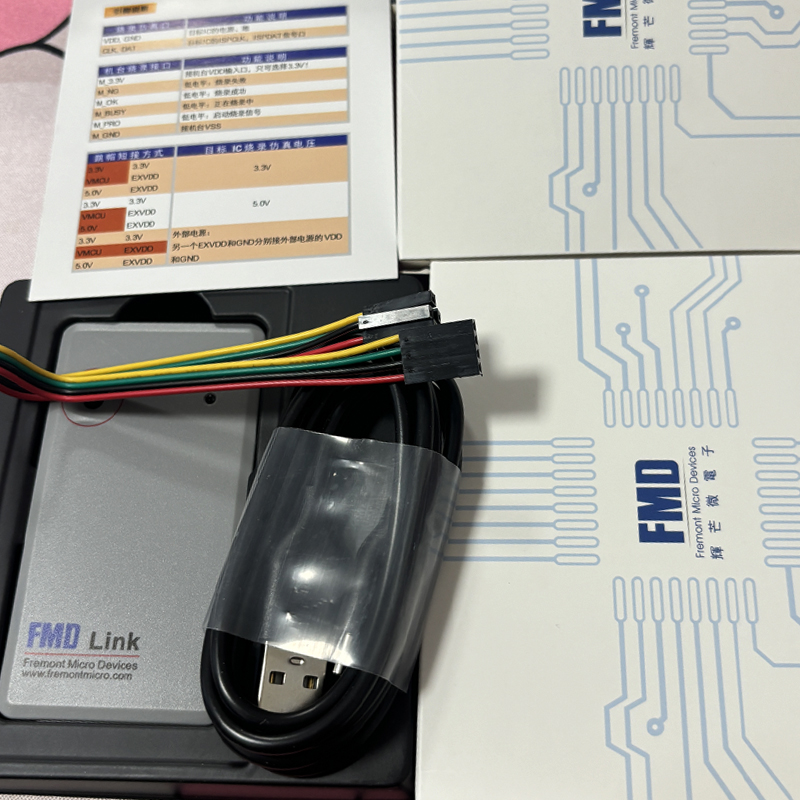
Connect the programmer to the computer and then to the target board using the documented signals.
Load the Firmware
Build the project for development or load the approved programming file for production.
Program and Verify
Start the operation, confirm successful programming and verify the target when the workflow supports it.
FMD_Programmer Compatibility: What Must Match?
A reliable FMD LINK setup depends on the complete programming chain rather than the programmer alone. Four items should be checked before development or production begins.
Hardware Revision and USB Interface
FMD LINK has existed in different hardware generations. Earlier tools and newer FMD Link(C) hardware should not automatically be treated as identical because software and firmware requirements can differ.
Documentation for older hardware shows different USB connector arrangements, while later FMD Link(C) versions use USB Type-C. When buying a replacement or maintaining an existing production station, identify the hardware revision before selecting software.
Programming Reliability: Four Checks That Matter
FMD LINK for Development and Mass Production
Prototype Development
FMD LINK shortens the cycle between editing firmware, compiling, downloading, testing and debugging. This is useful when the code changes repeatedly during product development.
Production Programming
Once firmware is approved, the priority changes from flexibility to repeatability. FMDWriter and supported offline programming can be integrated into a controlled factory workflow.
Touch-Control Products
For compatible devices, TouchTool and FMD LINK can support TouchKey evaluation and tuning on real target hardware.
FMD LINK vs a Generic Universal Programmer
| Feature | FMD LINK | Generic Programmer |
|---|---|---|
| FMD MCU Focus | Designed around the FMD ecosystem | Depends on supported-device list |
| FMDIDE Workflow | Designed for supported FMD development | Usually not the main function |
| FMDWriter Programming | Integrated programming workflow | Model dependent |
| TouchKey Development | Supported for compatible FMD devices | Usually unavailable |
| Multi-Brand Support | Not the main purpose | Often a major advantage |
For engineers who mainly work with FMD microcontrollers, software integration can be more useful than the broad device list of a universal programmer.
FMD_Programmer Troubleshooting and FAQ
What is FMD_Programmer?
FMD_Programmer is used here as a search term for the MCU programming function provided by FMD LINK. The hardware product discussed is FMD LINK.
Why is FMD LINK not recognized by the software?
Check the USB connection, FMD LINK hardware revision, software version and tool firmware. Older PC software may not work correctly with a newer hardware generation.
Why does programming fail randomly?
Common causes include long cables, weak ground connections, unstable target power, electrical interference or loading on the programming signals.
Why does the programmer connect but the MCU not program?
Verify the exact MCU model, pin assignment, target voltage, signal orientation and programming configuration. Similar part numbers are not automatically pin-compatible.
Can FMD LINK program without a PC?
Supported offline programming workflows can be used for appropriate devices after the correct programming image and configuration have been prepared.
Can FMD LINK debug FMD 8-bit MCUs?
Online emulation and debugging are available for compatible FMD 8-bit devices when used with the appropriate FMD development environment.
Can FMD LINK program compatible FMD 32-bit MCUs?
FMD documentation describes online and offline programming support for compatible 32-bit devices. Verify the exact target part and tool revision.
Which software should I use?
Use FMDIDE for supported development and debugging, FMDWriter for programming, and TouchTool for compatible touch-development tasks.
Final Assessment
FMD LINK is best understood as the programming and debugging bridge inside the Fremont Micro Devices development ecosystem. It connects compatible FMD microcontrollers with FMDIDE, FMDWriter and TouchTool for firmware development, programming and supported touch-control work.
For users searching FMD_Programmer, the most important step is to identify the exact FMD LINK hardware revision, target MCU and required software. When those elements match, the same tool family can support the path from prototype firmware development to repeatable production programming.