Creality K2 Plus Combo Review: Is This Large Multicolor 3D Printer Worth Buying?
A practical buying guide covering build volume, CFS multicolor printing, speed, materials, setup, comparisons, ownership cost, strengths, and limitations.
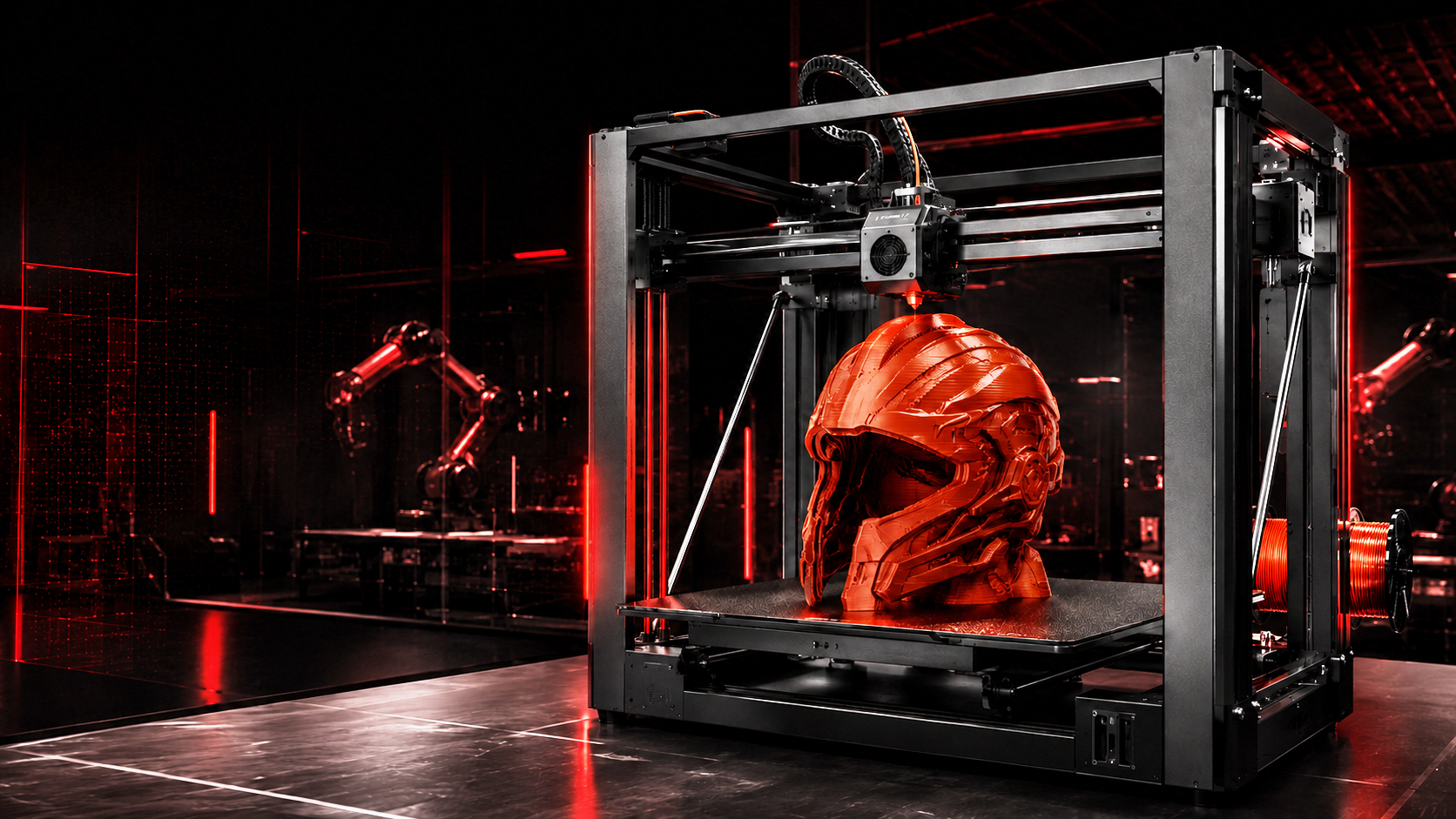
Direct answer: The K2 Plus Combo is a large, enclosed, high-speed multicolor 3D printing system built for users who need more space, better material control, and automated filament switching. Its official name is the Creality K2 Plus Combo. Buyers may also shorten the name to K2 Plus Combo or K2Plus Combo when searching for reviews, specifications, and buying information.
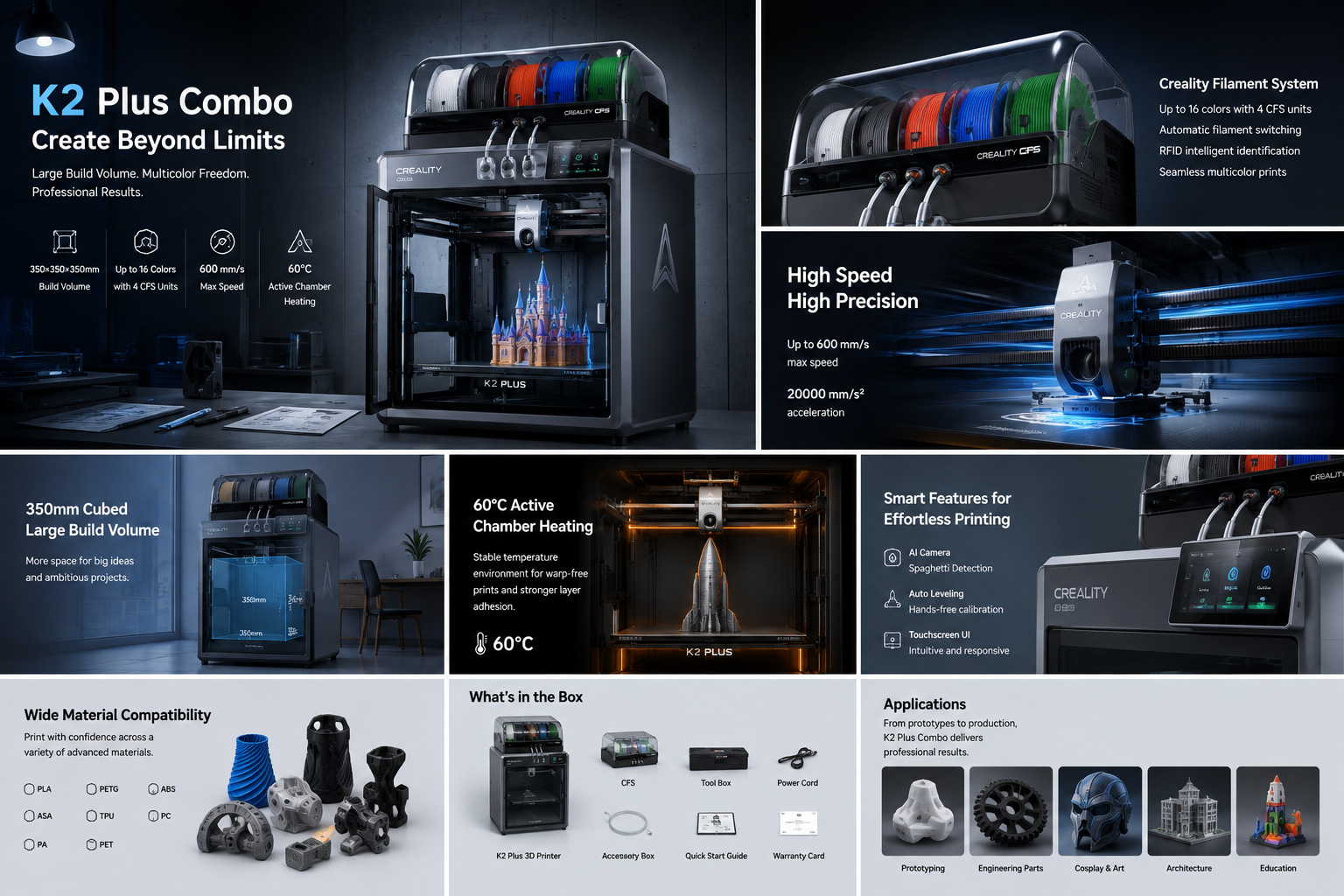
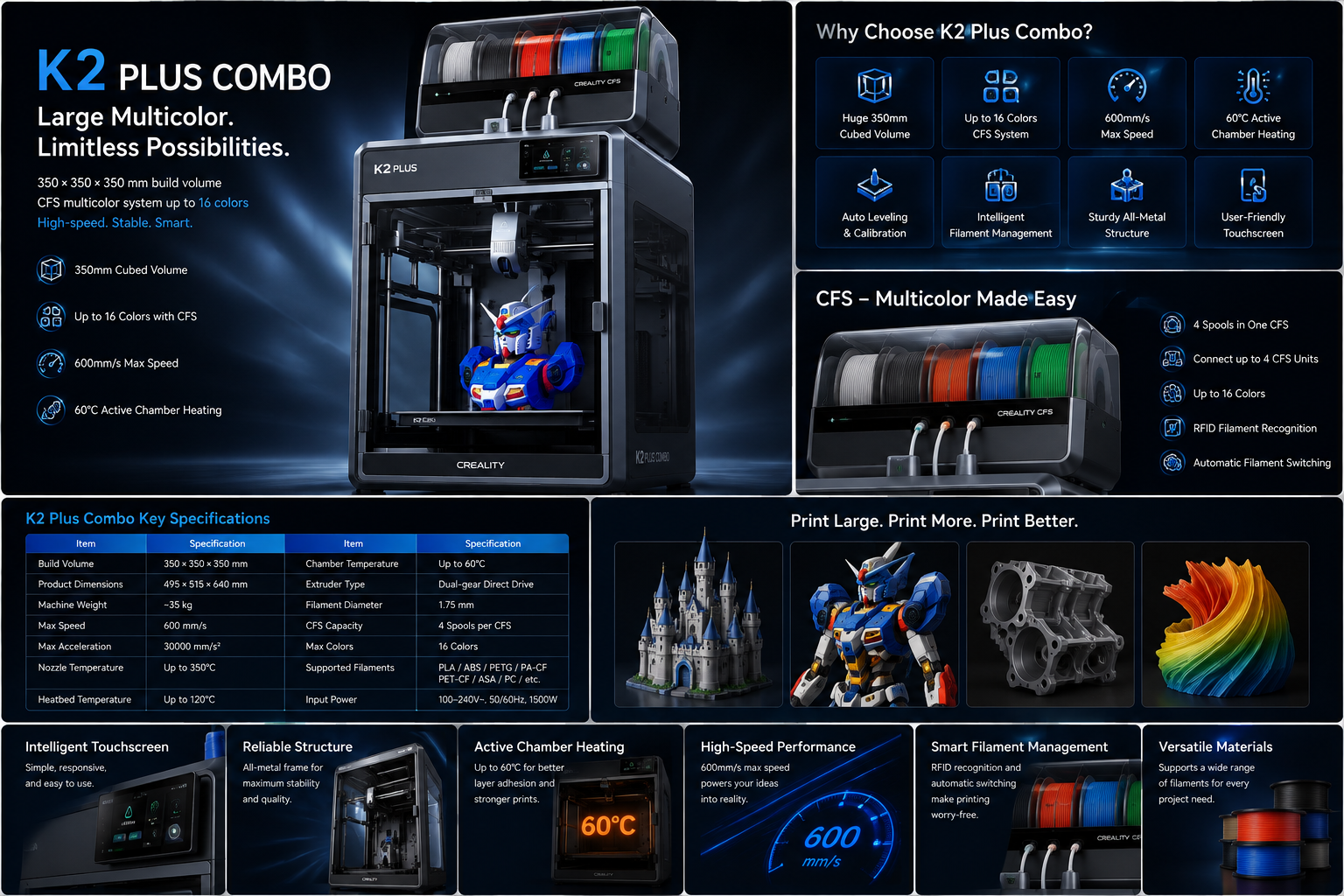
The machine combines a 350 × 350 × 350 mm build volume with the Creality Filament System, commonly called CFS. One CFS holds four filament spools, while a larger setup can connect up to four CFS units for prints containing as many as 16 colors. This makes the K2 Plus Combo more than a fast enclosed printer. It is a complete workflow for large models, multicolor designs, prototypes, props, display pieces, and small production jobs.
However, a large multicolor 3D printer should not be judged only by its maximum speed or color count. Its real value depends on reliability, material handling, maintenance, workspace, software, operating cost, and the type of models you plan to print. This detailed Creality K2 Plus review explains those points in practical language so buyers can decide whether the machine fits their work.
Specification note: Core figures in this guide follow Creality's published K2 Plus specifications. Firmware features, regional bundles, included accessories, and selling prices can change, so confirm the current product page and support documentation before purchase.
K2 Plus Combo Key Facts at a Glance
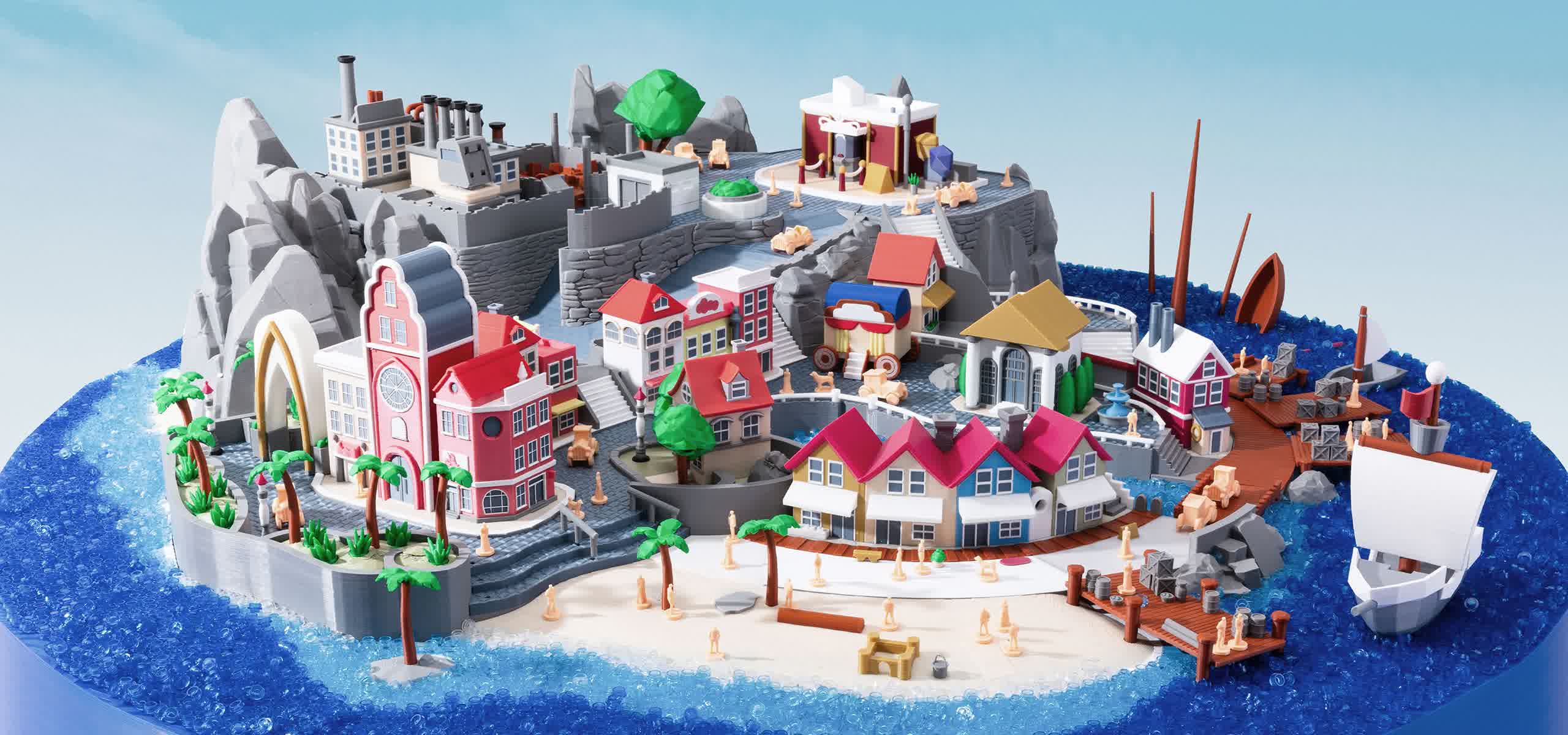
Best for: Large functional parts, multicolor models, cosplay props, product prototypes, architectural models, educational projects, workshop use, and small-scale production.
Main strength: It combines a large enclosed build area with automated multicolor filament management.
Main limitation: Multicolor printing can increase print time, purge waste, maintenance needs, and total operating cost.
| Feature | K2 Plus Combo specification | Why it matters |
|---|---|---|
| Build volume | 350 × 350 × 350 mm | Supports large one-piece prints and bigger batches |
| Maximum advertised speed | Up to 600 mm/s | Reduces production time when the model and material allow it |
| Maximum acceleration | Up to 30,000 mm/s² | Helps the toolhead change direction quickly |
| Multicolor system | One CFS included with the Combo | Automatically loads, unloads, and switches filament |
| Maximum color capacity | Up to 16 colors with four CFS units | Useful for complex display and educational models |
| Nozzle temperature | Up to 350°C | Expands support for higher-temperature materials |
| Heated bed | Up to 120°C | Improves adhesion for demanding filament |
| Active chamber heating | Up to 60°C | Helps control warping and layer separation |
| Connectivity | USB drive, Wi-Fi, and Ethernet | Supports local and network-based workflows |
| Standard nozzle | 0.4 mm | Balances detail, speed, and material flow |
What Is the Creality K2 Plus Combo?
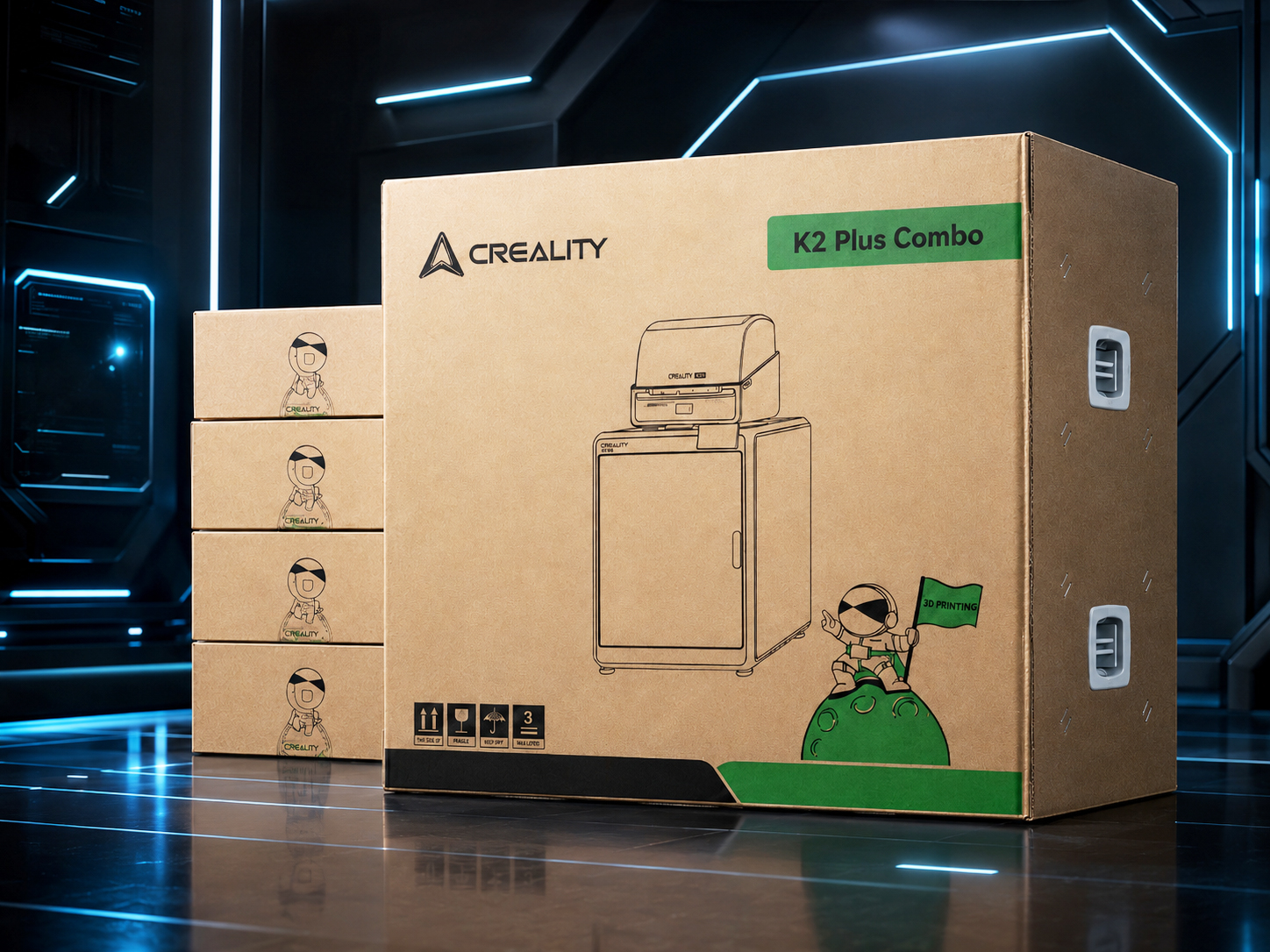
The Creality K2 Plus Combo is the flagship large-format model in the wider K2 family. It combines the enclosed K2 Plus 3D printer with a CFS multicolor unit. The printer handles motion, heating, extrusion, calibration, and monitoring, while the CFS manages several filament spools and sends the selected material to the toolhead.
This distinction is important because several similar search terms describe different products. A Creality K2 review may refer to the smaller 260 × 260 × 260 mm K2. A Creality K2 Combo review normally refers to that K2 model bundled with a CFS. A Creality K2 Plus review should cover the larger 350 mm flagship machine. The Creality K2 Pro Combo 3D printer sits between them with a 300 × 300 × 300 mm build volume.
Some listings and search results also use phrases such as "Creality K2 Max," "K2 Max 3D printer," "Creality - K2 Plus 3D printer," or "K2 printer." Buyers should always check the complete model name, print volume, enclosure, and included accessories before ordering. The word "Combo" should mean that a CFS is included, but bundle contents can vary between sellers.
The same rule applies to a listing titled "Creality K2 Combo multi color 3D printer bundle." It may describe the standard K2, K2 Pro, or K2 Plus. The product title alone is not enough. Check the build volume and model label to confirm exactly which printer is being sold.
K2 Plus Build Volume: Why 350 mm Is More Important Than It Looks
The K2 Plus build volume is 350 × 350 × 350 mm, or about 13.78 × 13.78 × 13.78 inches. This is one of the strongest reasons to choose the machine over a smaller enclosed printer.
A 350 mm cube does not provide only a small increase over a 300 mm cube. A 300 × 300 × 300 mm printer offers a theoretical volume of 27 million cubic millimeters. The Creality K2 Plus build volume provides about 42.9 million cubic millimeters. That is roughly 59% more theoretical space.
This extra room changes the printing workflow in several useful ways:
- Large helmets and costume parts can require fewer cuts.
- Product housings can be printed as one stronger piece.
- Several smaller components can be arranged in one batch.
- Architectural models can use a larger scale.
- Jigs, fixtures, organizers, and workshop tools can be wider.
- Failed assembly joints can be reduced by printing fewer sections.
People searching for the Creality K2 build volume or Creality K2 build plate size should note that not every K2 model has the same capacity. The standard K2 has a smaller printable area, the K2 Pro uses a 300 mm cube, and the K2 Plus is the 350 mm option.
Users comparing the K2 Plus build volume with the Ender 5 Plus build volume may focus mainly on size. In practice, enclosure design, active chamber heating, automatic calibration, high-speed motion, and integrated multicolor support can be just as important as the raw dimensions.
A bigger build area also creates bigger risks. Large prints use more filament, remain on the machine longer, and cost more when they fail near the end. Reliable first layers, dry filament, stable temperatures, good slicing, and realistic speed settings become more important as model size increases.
K2 Plus Dimensions in Inches and Workspace Planning
The printer body measures about 495 × 515 × 640 mm, which is approximately 19.49 × 20.28 × 25.20 inches. With the CFS positioned above the printer, the complete K2 Plus Combo height is about 916 mm, or 36.06 inches.
These K2 Plus dimensions in inches do not include every practical clearance requirement. The printer needs room for ventilation, cable movement, opening the door, accessing the rear, loading filament, removing the build plate, and maintaining the toolhead. A shelf that matches the printer dimensions exactly will usually be too tight.
Before buying, measure the full work area rather than only the tabletop. Also consider the weight of the printer, the CFS, four loaded spools, tools, spare parts, and printed models. A solid workbench is better than a light desk because rapid direction changes can transfer vibration into weak furniture.
The large enclosure may look compact in product photos, but it is still a serious desktop machine. Planning the space before delivery prevents a common problem: owning a capable printer without having a safe and comfortable place to operate it.
How the CFS Multicolor System Changes the Printing Workflow
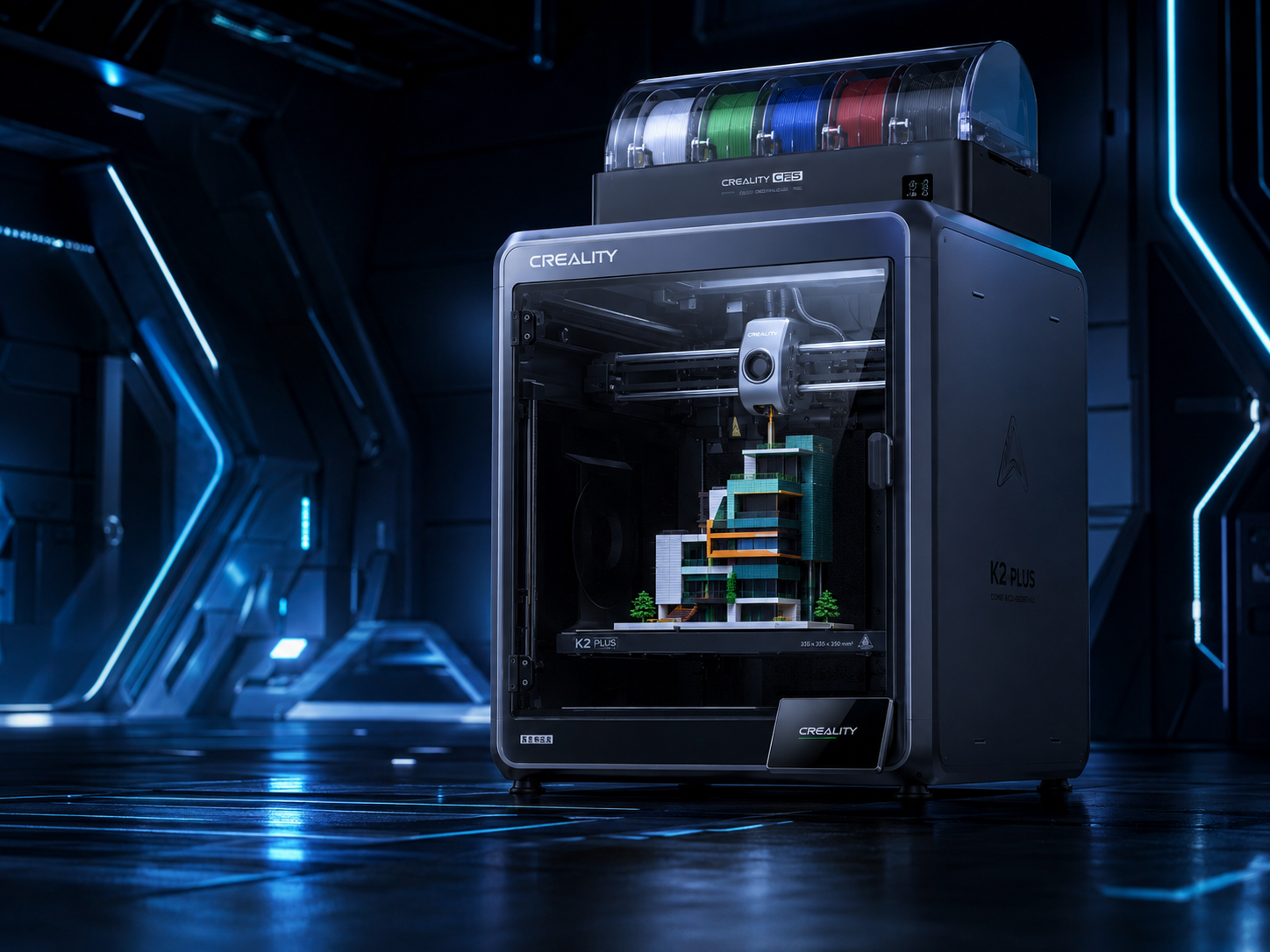
The CFS is the feature that turns the K2 Plus into the K2 Plus Combo multicolor workflow. It stores several spools, selects filament, loads material, unloads material, and supports automatic switching during a print.
For a designer, this means color changes can be planned inside the sliced model instead of performed manually at the printer. Text, logos, labels, facial details, warning marks, maps, diagrams, and decorative surfaces can be produced in different colors during one job.
A single CFS holds four spools. Connecting additional units can expand the system to as many as 16 colors. That makes the Creality K2 Plus Combo suitable for buyers searching for a large multicolor 3D printer or a Creality multi color 3D printer with more space than a normal desktop machine.
The CFS also offers practical material-management benefits. Its enclosed design helps protect filament from open-room dust and changing humidity. Compatible RFID filament can simplify material identification, although users should still confirm profiles, temperatures, and compatibility before starting an important job.
Multicolor printing has a hidden cost
More colors do not automatically mean a better print. Every material change may require filament to be retracted, loaded, and purged. A model with hundreds of color changes can use more material and take much longer than the same model printed in one color.
The key skill is not using the highest possible number of colors. It is designing color zones that create strong visual value with fewer tool changes. A four-color model with smart layer planning can be more efficient than a highly detailed design that changes filament every few seconds.
For commercial work, include purge material, extra time, failed transitions, and spool remnants when calculating cost. The machine automates filament switching, but it does not make those changes free.
K2 Plus Filament Support and Material Strategy
K2 Plus filament support is broader than that of a basic open-frame printer. The high-temperature nozzle, heated bed, enclosed body, and active chamber make it suitable for common materials as well as selected engineering filament.
Typical options include PLA, PETG, ABS, ASA, and certain carbon-fiber reinforced materials such as PA-CF and PET-CF. Exact results depend on the filament brand, nozzle, drying condition, model geometry, chamber setting, and slicing profile.
PLA for general and multicolor models
PLA remains the easiest choice for decorative pieces, educational models, toys, prototypes, signs, and color-rich display items. It is widely available, easy to print, and offered in many colors. For a first CFS project, PLA is usually the most practical starting point.
PETG for stronger everyday parts
PETG offers better impact resistance and temperature performance than standard PLA. It is useful for brackets, holders, containers, workshop parts, and functional prototypes. However, PETG can string more easily, so clean filament handling and tuned retraction settings matter.
ABS and ASA for enclosed printing
ABS and ASA benefit from a warm, controlled environment. Active chamber heating can reduce uneven cooling, corner lifting, and cracking. ASA is especially useful for parts that may face sunlight or outdoor conditions.
Carbon-fiber reinforced filament
Abrasive materials require a wear-resistant nozzle and a suitable diameter. A 0.6 mm nozzle can be a practical option for some fiber-filled filaments because the wider opening lowers clogging risk and improves flow. The trade-off is slightly lower fine-detail performance.
Do not assume every flexible, brittle, abrasive, or unusual material will travel through the complete CFS path in the same way. Follow the current material and CFS guidance for the exact filament. When required, use the external spool route instead of forcing an unsuitable material through the automatic system.
Print Speed: Understanding the 600 mm/s Claim
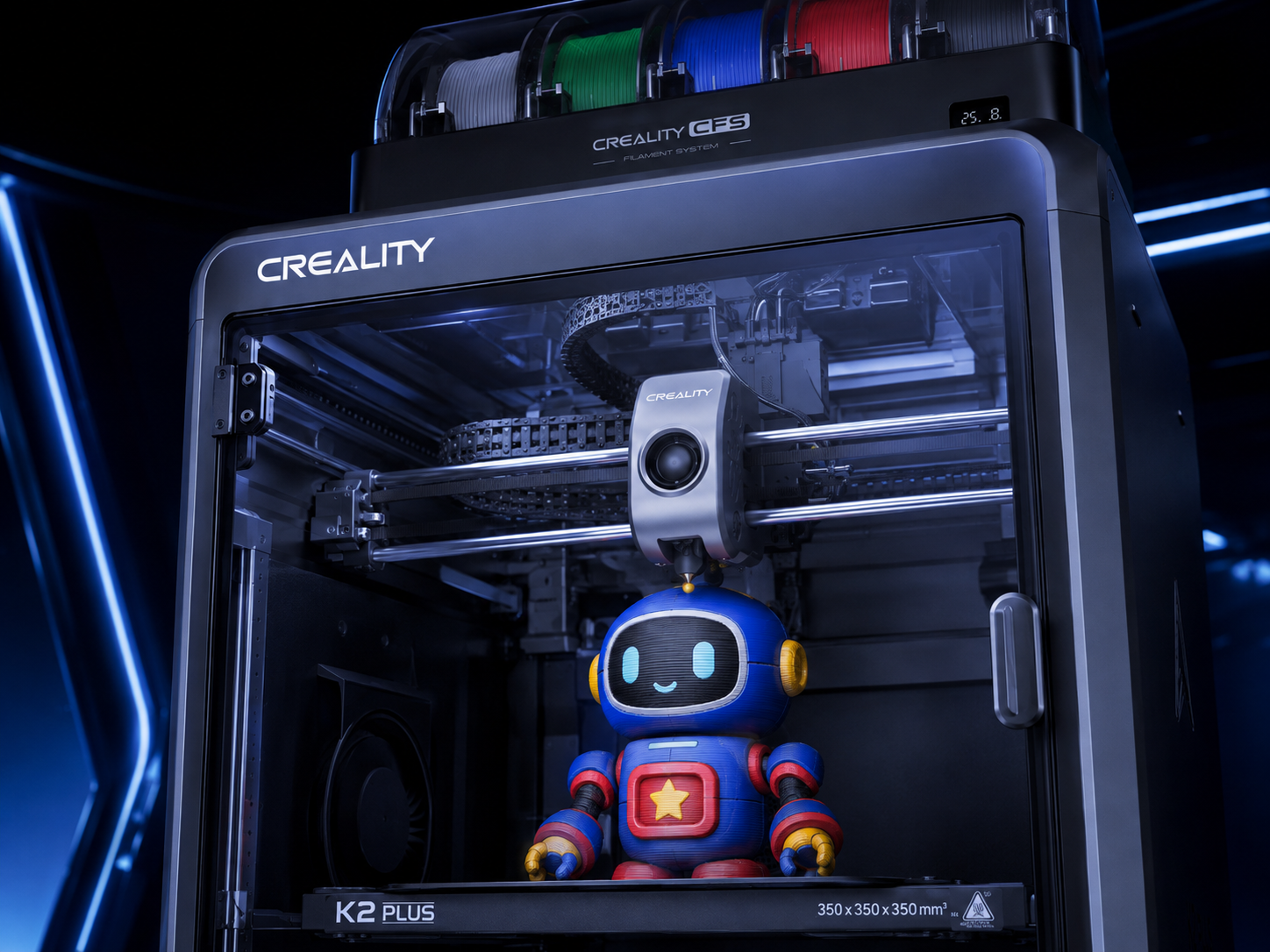
The Creality K2 Plus 3D printer has an advertised maximum print speed of up to 600 mm/s and acceleration of up to 30,000 mm/s². These figures describe the machine's performance limit, not the speed used for every line of every model.
Real print time is affected by nozzle flow, layer height, wall count, infill, cooling, filament type, model shape, acceleration limits, and color changes. A long straight line can reach a higher speed more easily than a small part filled with corners and short movements.
Large flat parts may also be limited by the amount of plastic the hotend can melt each second. When the requested volumetric flow is too high, the nozzle may under-extrude even though the motion system can move faster.
For this reason, a useful K2 Plus review should focus on complete production time and print quality rather than repeating only the maximum speed number. A clean 12-hour print is more valuable than a failed eight-hour print.
K2 vs SV08 print speed
In a K2 vs SV08 print speed comparison, the K2 Plus is advertised at up to 600 mm/s, while the standard Sovol SV08 is advertised at up to 700 mm/s. That does not mean every SV08 print will finish faster. The K2 Plus offers an enclosed, actively heated, CFS-integrated workflow, while printer tuning, material flow, model geometry, and slicer settings can have a greater effect on real completion time than the top-speed figure.
Calibration, AI Cameras, and Everyday Reliability
The K2 Plus Combo uses automated systems to reduce the manual work needed before printing. These include automatic leveling and calibration, input shaping, filament sensors, and camera-based monitoring.
Automation is valuable because a 350 mm build plate must remain consistent over a wide area. Small errors that are easy to ignore on a compact printer can become visible when a model covers most of the plate.
The monitoring camera can help identify obvious print problems and support remote viewing. The calibration camera assists with machine checks. These systems improve convenience, but they should not replace basic printer care.
Users should still keep the build surface clean, inspect the nozzle, remove filament debris, check the CFS path, update firmware carefully, dry moisture-sensitive filament, and watch the first layers of expensive prints. Smart features reduce routine work; they do not remove the need for good process control.
K2 Plus User Manual and Setup Advice
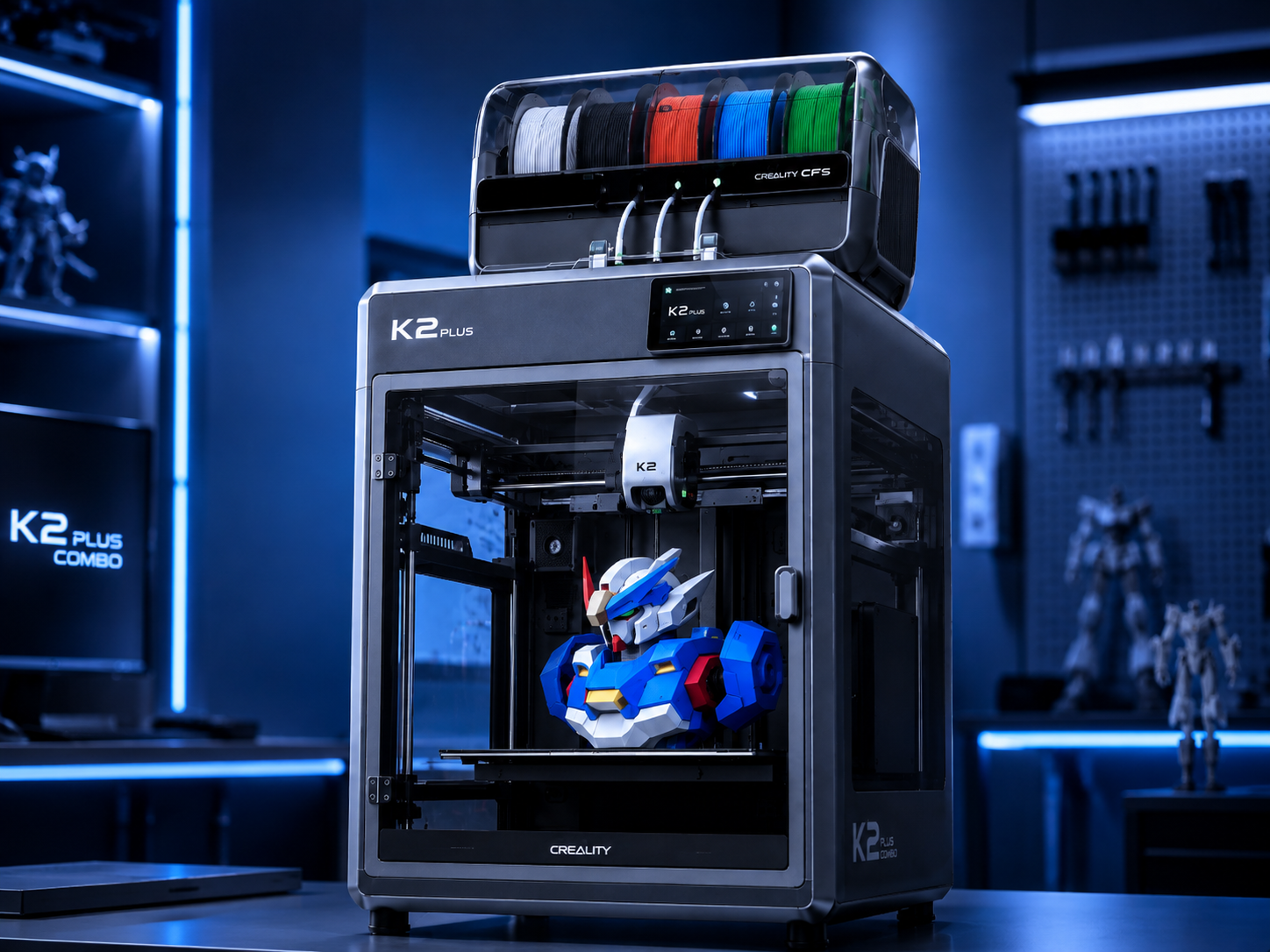
The official K2 Plus user manual should be read before unpacking the machine. A large enclosed printer may include transport locks, bed screws, protective covers, foam, and internal packaging that must be removed in the correct order.
Do not power on the machine until all required transport parts have been removed. Follow the official unboxing sequence, install the accessories, connect the CFS correctly, and complete the first-use calibration.
A careful setup process should include the following steps:
- Inspect the shipping box for serious impact damage.
- Confirm the printer is placed on a strong, level surface.
- Remove all transport locks and protective material.
- Check the voltage and power requirements for the installation area.
- Connect the CFS and filament tubes without sharp bends.
- Install the build plate and accessories as directed.
- Update software or firmware only through trusted official channels.
- Run the full calibration process.
- Start with a small single-color PLA test.
- Move to a simple two-color model before attempting a long multicolor print.
This gradual approach makes problems easier to identify. Starting immediately with a huge 16-color model combines too many variables at once.
K2 Pro vs K2 Plus: Which One Is Better?
The K2 Pro vs K2 Plus decision mainly depends on build volume, performance level, available space, and budget. Both can support the CFS workflow, but the K2 Plus is the larger flagship option.
| Category | K2 Plus | K2 Pro |
|---|---|---|
| Build volume | 350 × 350 × 350 mm | 300 × 300 × 300 mm |
| Target user | Large projects and higher-capacity production | Serious users needing a smaller footprint |
| Multicolor support | CFS compatible | CFS compatible |
| Workspace requirement | Larger | More compact |
| Best reason to choose | Maximum K2-series print capacity | Balance of size, features, and cost |
Choose the K2 Pro when most of your models fit comfortably inside a 300 mm cube. Choose the K2 Plus when the extra 50 mm on every axis will regularly prevent model splitting, increase batch size, or support larger customer projects.
Buying the larger machine only because it looks more powerful can waste money and workspace. Buying the smaller machine when your regular models exceed 300 mm can create years of unnecessary cutting, joining, sanding, and assembly.
Creality K2 Plus Combo vs K1 Max
The K1 Max remains a capable enclosed printer with a 300 × 300 × 300 mm build volume. It is suitable for fast prototypes, functional parts, and large single-color models. The K2 Plus Combo adds a larger 350 mm cube and a more integrated multicolor workflow.
The K1 Max may make more sense for users who mainly print one material and do not need automated color changes. It can also require less room and may be available at a lower price depending on regional promotions.
The K2 Plus is the stronger choice when the project depends on one or more of these needs:
- Parts larger than the K1 Max build area
- Native CFS-based multicolor production
- A larger heated chamber environment
- Higher batch capacity
- More advanced material and filament management
Users comparing a "Creality K2 Max" with the K1 Max should verify the product name carefully. The recognized flagship model in the K2 family is the K2 Plus, while K1 Max is a separate K1-series machine.
Creality K2 Plus Combo vs Ender-3 V3 Plus
The Ender-3 V3 Plus offers a 300 × 300 × 330 mm build volume in an open-frame design. It is a strong option for users who want large-format PLA or PETG printing without paying for a fully enclosed multicolor system.
The K2 Plus Combo offers a larger 350 mm cube, enclosure, active chamber heating, higher-temperature capability, camera systems, and integrated CFS support. It is designed for a more automated and material-flexible workflow.
| Feature | K2 Plus Combo | Ender-3 V3 Plus |
|---|---|---|
| Build volume | 350 × 350 × 350 mm | 300 × 300 × 330 mm |
| Enclosure | Fully enclosed | Open frame |
| Multicolor workflow | Integrated CFS support | No equivalent native Combo workflow |
| Material control | Active heated chamber | Room-temperature open environment |
| Best for | Advanced, colorful, and engineering projects | Affordable large-format general printing |
The Ender-3 V3 Plus provides better value when the user mainly needs physical size. The K2 Plus Combo provides better capability when large size must be combined with enclosure control, multicolor automation, and advanced materials.
Creality K2 Plus Price and the Real Cost of Ownership
The Creality K2 Plus price changes by country, seller, tax, shipping cost, bundle contents, and seasonal promotion. Instead of judging only the listed price, calculate the complete ownership cost.
That cost can include:
- The K2 Plus printer or K2 Plus Combo bundle
- Additional CFS units
- Filament for testing and production
- Replacement nozzles and build plates
- Filament drying and storage equipment
- Maintenance parts and cleaning tools
- Electricity for the bed, chamber, nozzle, and long prints
- Purge material from multicolor jobs
- Workspace, ventilation, and stable furniture
A cheaper printer can become expensive if every large model needs to be divided, glued, reinforced, filled, sanded, and repainted. A more expensive printer can save labor when it produces the required part in one piece. The best value depends on the cost of your complete workflow, not only the purchase price.
What the K2 Plus Combo Does Well
Large one-piece printing
The 350 mm cube gives designers more freedom to produce large objects without adding weak seams. It is especially useful for helmets, enclosures, display models, molds, signs, and workshop tools.
Multicolor automation
The CFS reduces the manual work required for color switching. This makes repeated branded models, labels, maps, educational pieces, and character designs easier to produce.
Better control of demanding materials
The enclosed body and heated chamber support more stable printing with materials that react badly to cold air and changing room temperature.
Batch production
The large plate can hold many smaller parts. For a studio or workshop, this can reduce setup time and allow overnight batch printing.
Integrated workflow
Calibration, monitoring, filament management, network transfer, slicing, and machine control are designed to work as one system. This is easier than building the same feature set from unrelated upgrades.
Limitations Buyers Should Understand
It needs real space
The machine is large, heavy, and tall when the CFS is mounted above it. Maintenance access and ventilation require additional clearance.
Multicolor prints can be slow
Automatic switching saves manual work but may add many loading, unloading, and purge cycles. A small multicolor object can take longer than a much larger single-color object.
Material waste can increase
Purge towers and transition material should be included in project planning. Good color placement and slicer settings can reduce waste but cannot always remove it.
Large failures are expensive
A failed 20-hour print wastes more filament and time than a failed one-hour test. Large projects should be validated with smaller samples whenever possible.
Maximum speed is not normal speed
Material flow, cooling, surface quality, and model geometry often require lower speeds. Reliable production profiles are more valuable than headline numbers.
Who Should Buy the K2 Plus Combo?
The K2 Plus Combo is a strong choice for users who regularly need large parts and also value automated color or material handling. It is especially suitable for:
- Cosplay makers printing helmets, armor, and props
- Product designers producing large prototypes
- Architects creating detailed presentation models
- Schools printing colorful teaching tools
- Studios producing signs, characters, and display pieces
- Engineering teams making jigs, fixtures, and housings
- Small businesses running mixed or repeated batches
- Experienced hobbyists upgrading to an enclosed multicolor system
It may be unnecessary for users who print only small PLA models, rarely use multiple colors, have limited desk space, or prefer a simple machine with lower operating costs. A smaller Creality K2 Combo, Creality K2 Pro Combo 3D printer, or Creality K2 SE 3D printer may fit those users better.
Final K2 Plus Combo Review
The K2 Plus Combo stands out because it combines three features that are often separated: a large 350 mm build volume, an enclosed heated printing environment, and automated multicolor filament handling.
Its real advantage is not simply printing faster or using more colors. The stronger benefit is workflow flexibility. The same machine can produce a large single-color engineering part, a batch of smaller pieces, a detailed multicolor model, or a high-temperature functional prototype.
The printer still requires planning. Large prints need careful preparation, multicolor jobs create extra time and waste, engineering filament must be stored correctly, and the full Combo system needs a strong work area. Buyers should also compare the current Creality K2 Plus price with the smaller K2 Pro, K2, K1 Max, and Ender-3 V3 Plus.
For users who will genuinely use its space, enclosure, and CFS system, the Creality K2 Plus Combo can replace several narrower machines with one flexible platform. For users who only need fast single-color PLA printing, it may provide more capacity than they need.
Overall verdict: The K2 Plus Combo is best viewed as a large-format production and creative platform rather than simply another fast desktop printer. Its value becomes strongest when large size, controlled materials, multicolor output, and reduced manual handling are all important to the same workflow.
Frequently Asked Questions About the K2 Plus Combo
What is the K2 Plus build volume?
The K2 Plus build volume is 350 × 350 × 350 mm, equal to approximately 13.78 inches on each axis.
How many colors can the Creality K2 Plus Combo print?
One CFS manages four filament spools. Up to four CFS units can be connected for prints using as many as 16 colors, depending on the project and system configuration.
Is the K2 Plus Combo a large multicolor 3D printer?
Yes. Its 350 mm cubic print area is larger than the 300 mm build area used by many enclosed multicolor printers.
What is the difference between K2 Plus and K2 Plus Combo?
The K2 Plus refers to the printer. The K2 Plus Combo normally includes the printer and one Creality Filament System for automated multicolor printing.
What are the K2 Plus dimensions in inches?
The printer body is approximately 19.49 × 20.28 × 25.20 inches. With the CFS positioned above it, the complete system is approximately 36.06 inches tall.
Is the Creality K2 Plus better than the K1 Max?
The K2 Plus offers a larger build volume and a more integrated multicolor workflow. The K1 Max may still be a better value for users who mainly print single-color parts within a 300 mm cube.
Is K2 Pro better than K2 Plus?
The K2 Pro is more compact and may cost less, while the K2 Plus offers more build space and higher flagship-level capacity. The better option depends on model size and available workspace.
Can the K2 Plus print carbon-fiber filament?
It supports selected carbon-fiber reinforced filament, but users should choose a suitable wear-resistant nozzle, dry the material, and follow the correct profile for the exact filament.
Does the K2 Plus Combo waste filament?
Multicolor switching can create purge waste. The amount depends on color order, flushing volumes, model design, purge settings, and the number of material changes.
Where can I find the K2 Plus user manual?
The current user manual, setup instructions, maintenance guides, firmware information, and CFS tutorials are available through the official Creality support and wiki pages.